
REAL-TIME VJ SOFTWARE
Your visuals, live at the speed of sound
Lumatrix turns your laptop into a live visuals rig — layer-based mixing, audio-reactive effects, and shader power, built for the stage.
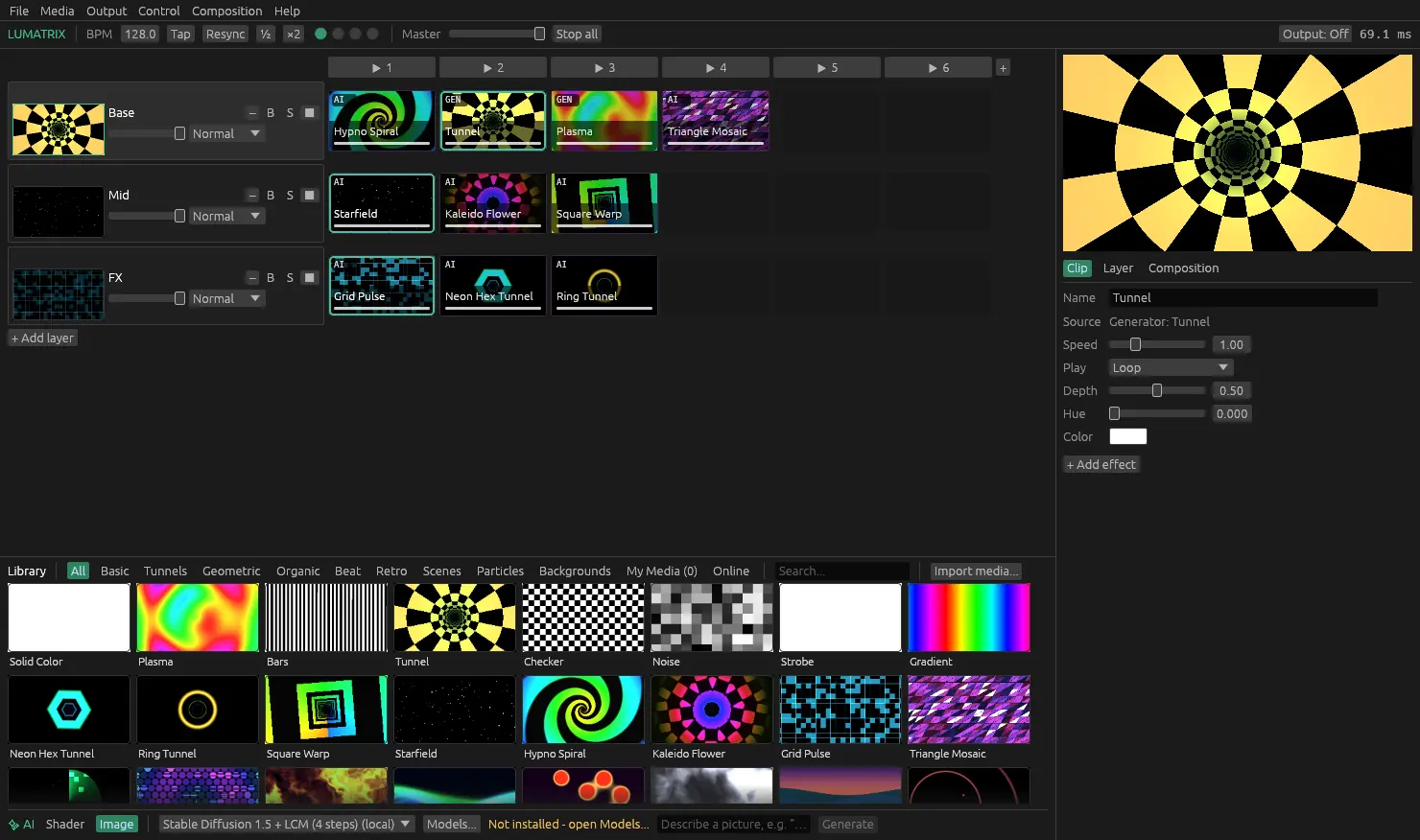
Everything a live set demands
No renders, no waiting. Every feature is built to respond in the moment.
Clip grid, layers, blend modes
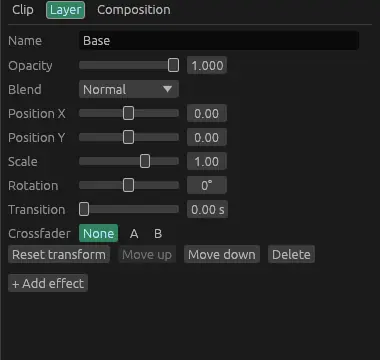
Layers × columns, like a launcher. Fire a clip or a whole column, stack layers with eight blend modes, opacity, position, scale and rotation, and crossfade between clips with per-layer transitions and an A/B fader.
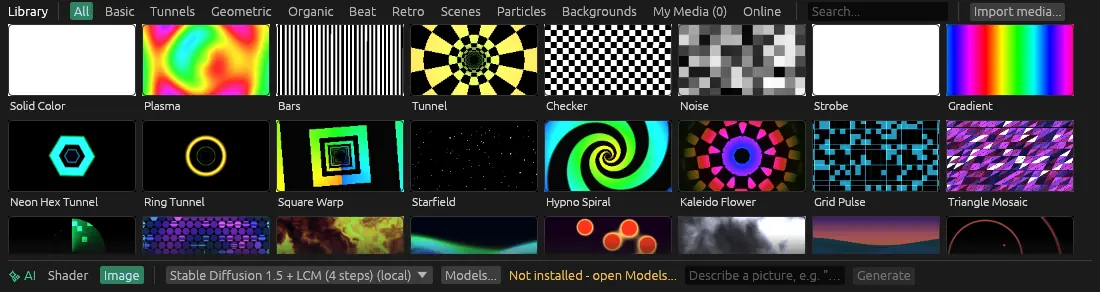
87 built-in visuals
Tunnels, geometry, organic, beat-reactive, retro, scenes, particles and backgrounds: GPU shaders with live previews, plus your own videos and images. Loop, bounce, once or beat-loop, with in/out points and reverse.
Audio-reactive
Bass, mid and high from any input, auto-levelled. Map a band to opacity, a knob, or a column trigger, and shaders can read the levels directly.
MIDI learn and Art-Net
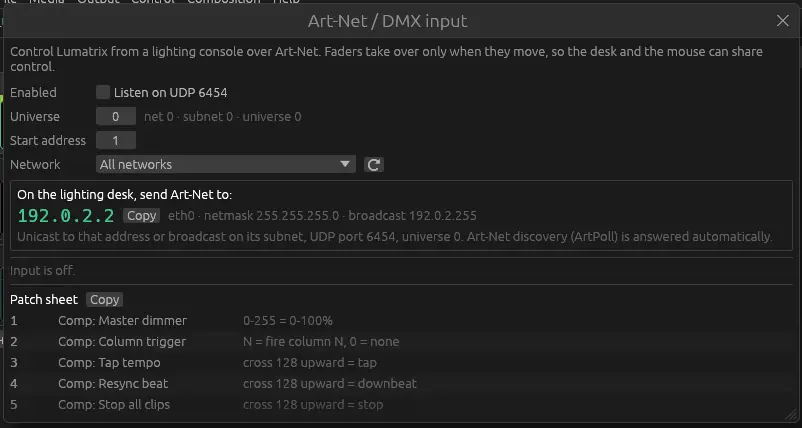
Right-click anything and move a knob or pad: it's mapped. Or run the show from the lighting desk over Art-Net / DMX, with a patch sheet you can copy.
ISF shaders and AI generators
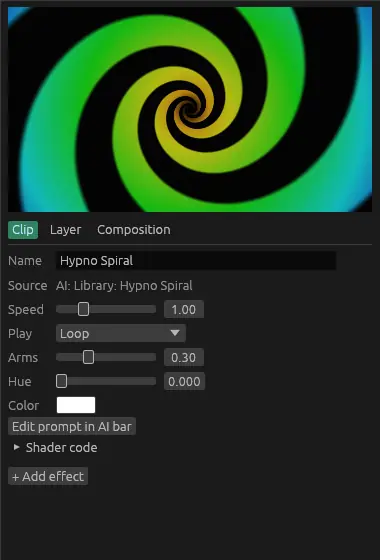
Drop in ISF (.fs) shaders and get their controls in the inspector; edited files reload while the show runs. Or describe a visual and the built-in AI writes and test-renders a shader, on your machine or in the cloud.
20 effects, any output
Hue shift, pixelate, kaleidoscope, RGB split, glitch, scanlines, twirl and more, on clips, layers or the master, each able to pulse with the beat. Send the output fullscreen to any screen or projector.
A closer look
Real screenshots from the current release. Every preview you see in the library is rendered live on your GPU.
One price. Yours forever.
No subscriptions. Pick the license that fits your show.
Lumatrix
The full VJ rig for solo performers and small venues.
A$149one-time
- ✓Every feature, no limits on layers
- ✓Audio-reactive, MIDI learn, Art-Net
- ✓ISF shaders and AI generators
- ✓2 computers
- ✓1 year of updates
Lumatrix Pro
For touring VJs who never want to buy an update again.
A$299one-time
- ✓Everything in Lumatrix
- ✓2 computers
- ✓Lifetime updates
- ✓Priority email support
Questions
What are the system requirements?+
Windows 10 or 11 (64-bit), or macOS 12+ on Apple Silicon. Any GPU with DirectX 12, Vulkan or Metal works; a dedicated GPU lets you stack more 4K layers. 8 GB RAM, 16 GB if you run the local AI model.
Is the license a subscription?+
No. Lumatrix is a one-time purchase. The standard license includes a year of updates; Pro includes lifetime updates.
Can I use it on more than one machine?+
Yes — your license covers two computers. Activate needs internet once; after that Lumatrix verifies the licence offline, so a venue with no Wi-Fi is fine. Move to a new machine with Deactivate in the app or on your account page.
Can I try it first?+
Yes. Download it and everything works; the output carries a small watermark until you enter a key.
Does it work with my MIDI controller?+
Any class-compliant MIDI controller. Right-click a slider, button or clip, choose MIDI learn, move the control on your device, done. Lighting desks can drive it over Art-Net / DMX. OSC is on the roadmap.